New Word form

At New word a visitor can fill in a form that will result in a new individual word candidate in the system.

Curators can see these words under Lemmas. These new words are are draft and not posted.

This provides a third way to get data into the system. Curators can enter words directly in the Dashboard or upload Excel/Google sheets from the Dashboard.
Feedback form

The form on this page is now working.

This involved creating the feedback email account for @buttswynd.com and forwarding it to @hotmail and @gmail accounts as appropriate.

Flipped the * to the beginning from the end for the “meum” stuff.

Added more whitespace around lemmas on that page.

Landing page

New UI replacing the “here are all the posts.”

  1. Top level menus are about greeting a user, getting back to their lists, and G&A (About…)
  2. Landing page provides overview and lots of links.

Also, R now has an account and can edit pages.

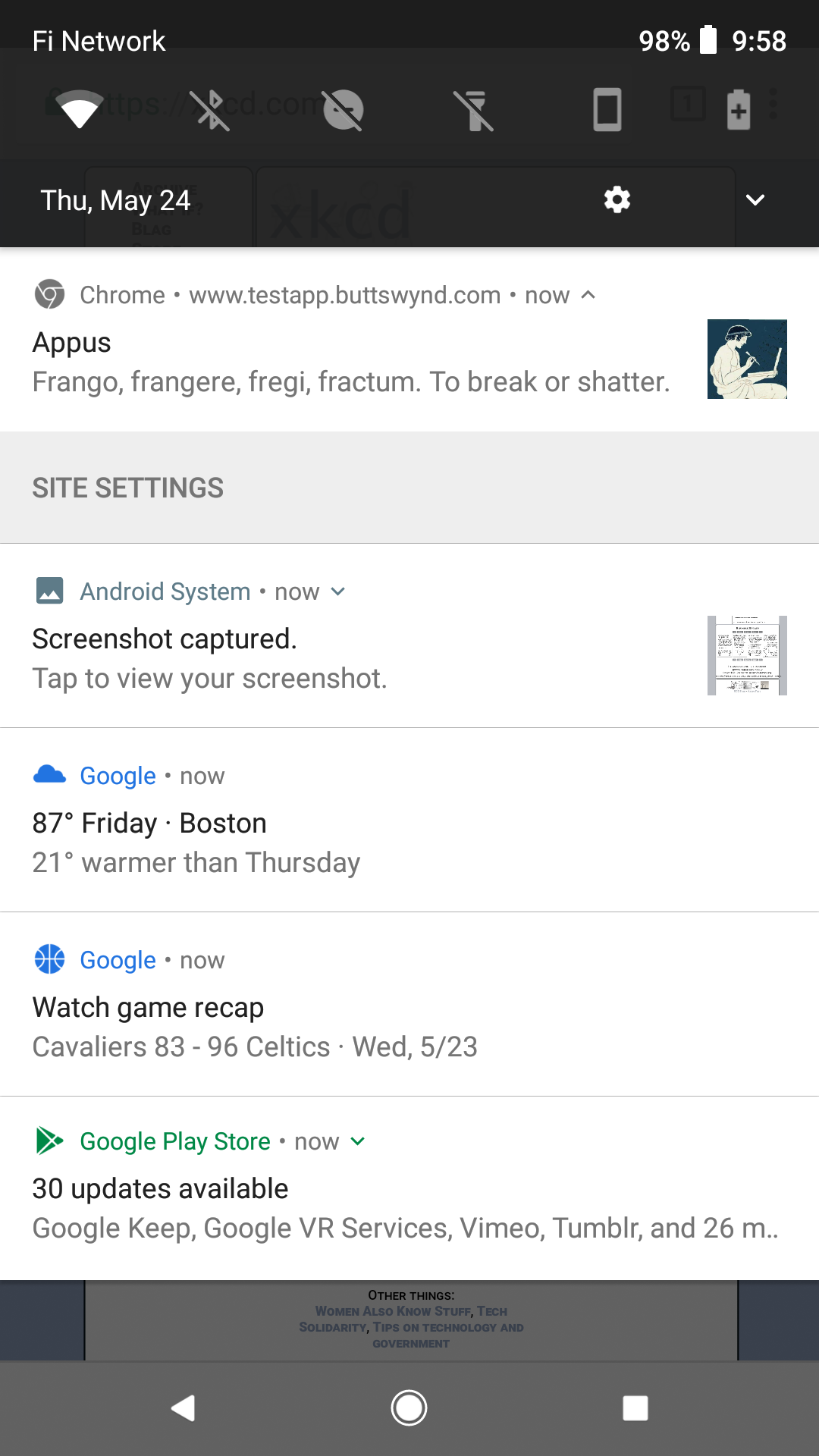
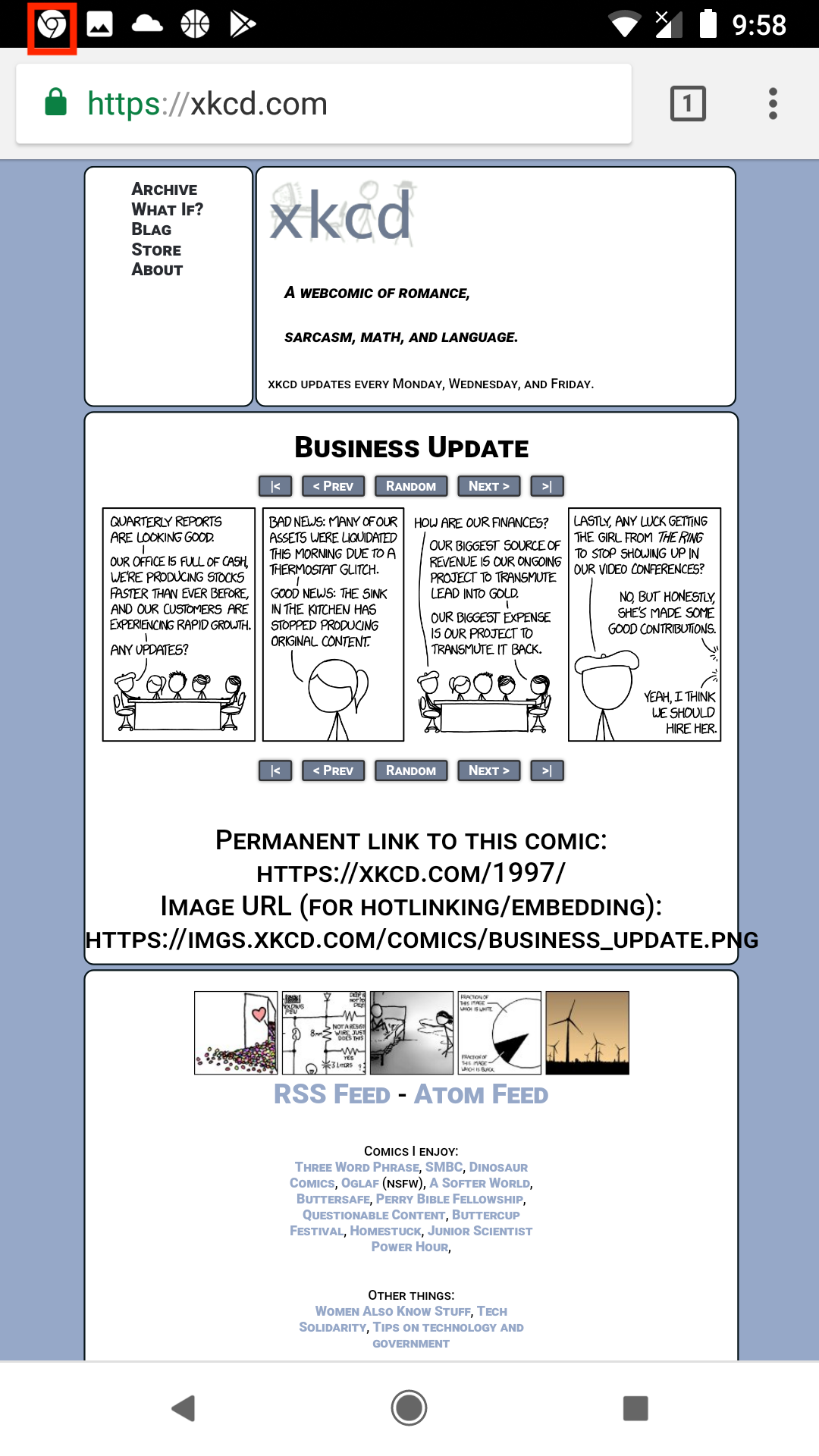
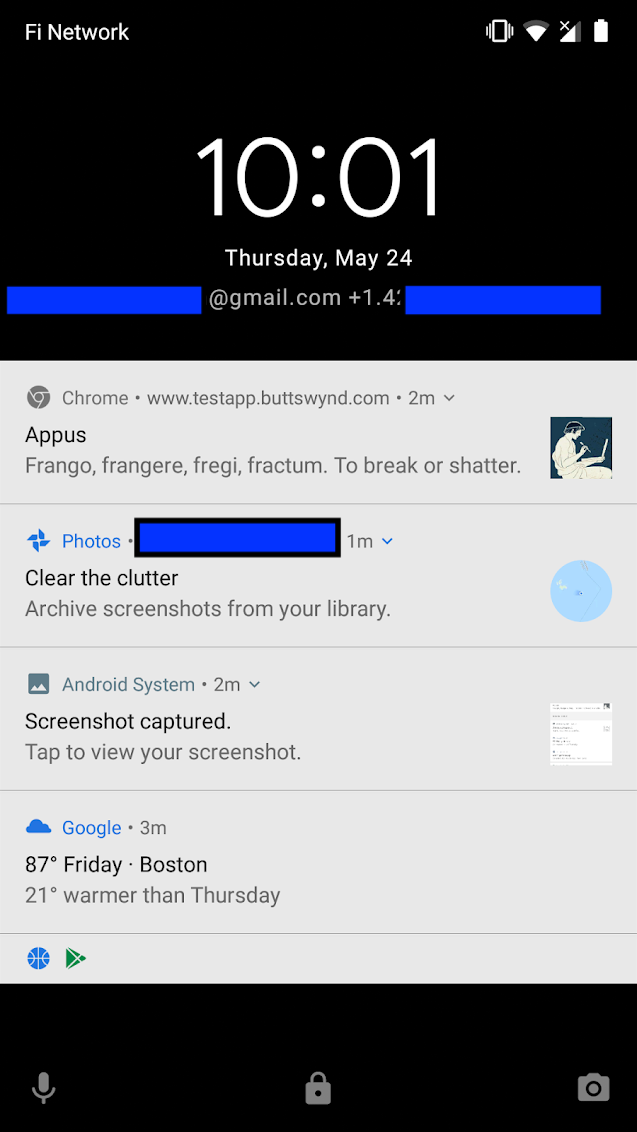
Push notifications

Proof of concept that we can do push notifications.

Left, notification (in red box) while on another site that there is an update.
Center, a bunch of notifications (boxes to remove contact info)
Right, some other state of the phone with notifications.


Lots of subtleties (Android/iOS, etc.). But, basically, doable.

Wiktionary

Look at puella.

There is a new field, “wiktionary,” that curators can add a web link to. I’ve wired up exactly one to show it works.


Meum is live

  1. “Favorites” installed. Each list and lemma page has a button. The meum page shows all the lists and lemmas user has made a “favorite.” (No user log in, so the favorite thing is per device/per browser)
  2. Updated WordPress to the latest! Yay!
  3. Internals: deleted the properties on a page (turned out to be a false start and not used…)
  4. Cleaned up categories for posts

Earlier posts have some dynamic content; neat to see things working, and that the content of those posts now reflect additional content (ex additional lemmas and fields describing the lemmas).


More refinement

  1. Mapped lemma/lists manually for the sample data. (Not an ordeal, but making it work as part of import seems like a good idea.)
  2. More links. In a list, each individual lemma (ex ‘amo’) has a link to its page. On a lemma page, the “lists this word is part of” items have working links as well.
  3. Changed to UK English (not sure what is involved; ran across the setting so there)
  4. Oh god, it’s now called the Bin rather than Trash.
  5. Published draft Privacy Policy (see GDPR kerfuffling.)
  6. There are now three ‘pages’ (About, Privacy Policy, and Info). On a small (phone) screen, they are all under “Menu” at the top of the screen; on larger screens they are enumerated. I will find the setting for these at some point.


Refinement update

Nipping and tucking…

  1. Imported the table Rebecca sent as an example. This should make the data entry for lemmas a lot easier. (Not yet implemented: the “include this word on these lists” part.)
  2. Added fields (ex gender, etc.) for lemma so that (1) is not lossy.
  3. On the page for each lemma, you can see these details. Ex: puella
  4. Also, now each lemma stores all the lists it is on.


Another update

Minor changes…

  1. Removed the tags (Sea, etc.) that were a legacy experiment.
  2. Updated the blog post that relied on (1).
  3. Easier to enter a bunch of lemmas with a CSV uploader (Google Sheets and Excel can save as CSV)
  4. Patched up the template example post.
  5. The Dashboard now has pretty icons for Lemmas and Lists, and those two items are at the top for easier use.